Building the Acceleposts e-commerce store has been about more than adding a shopping cart. The goal has been to connect commerce directly into the same workflow teams already use to plan, create, publish, automate, and analyze content.
As the store experience came together, the development work focused on a complete path: setting up a store, managing products, controlling what appears publicly, grouping products into promotions, and supporting product import workflows that make it easier to expand inventory over time.
Starting with Store Management
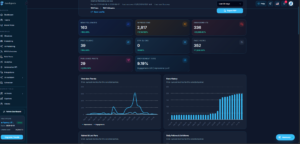
The foundation of the build began with store management. The store dashboard needed to give teams a clear place to see store status, product activity, orders, customers, and revenue indicators without making commerce feel disconnected from the broader Acceleposts workspace.
That meant the admin experience had to stay simple, visual, and practical. Store owners need quick access to the actions that matter most: managing the store, reviewing products, watching performance, and preparing the next offer.
Designing the Storefront Experience
Store design was another important part of the development process. A store is not just a catalog; it is part of a brand experience. The design tools were built to support store names, taglines, descriptions, logos, banners, and visual presentation so the public-facing shop can match the business behind it.
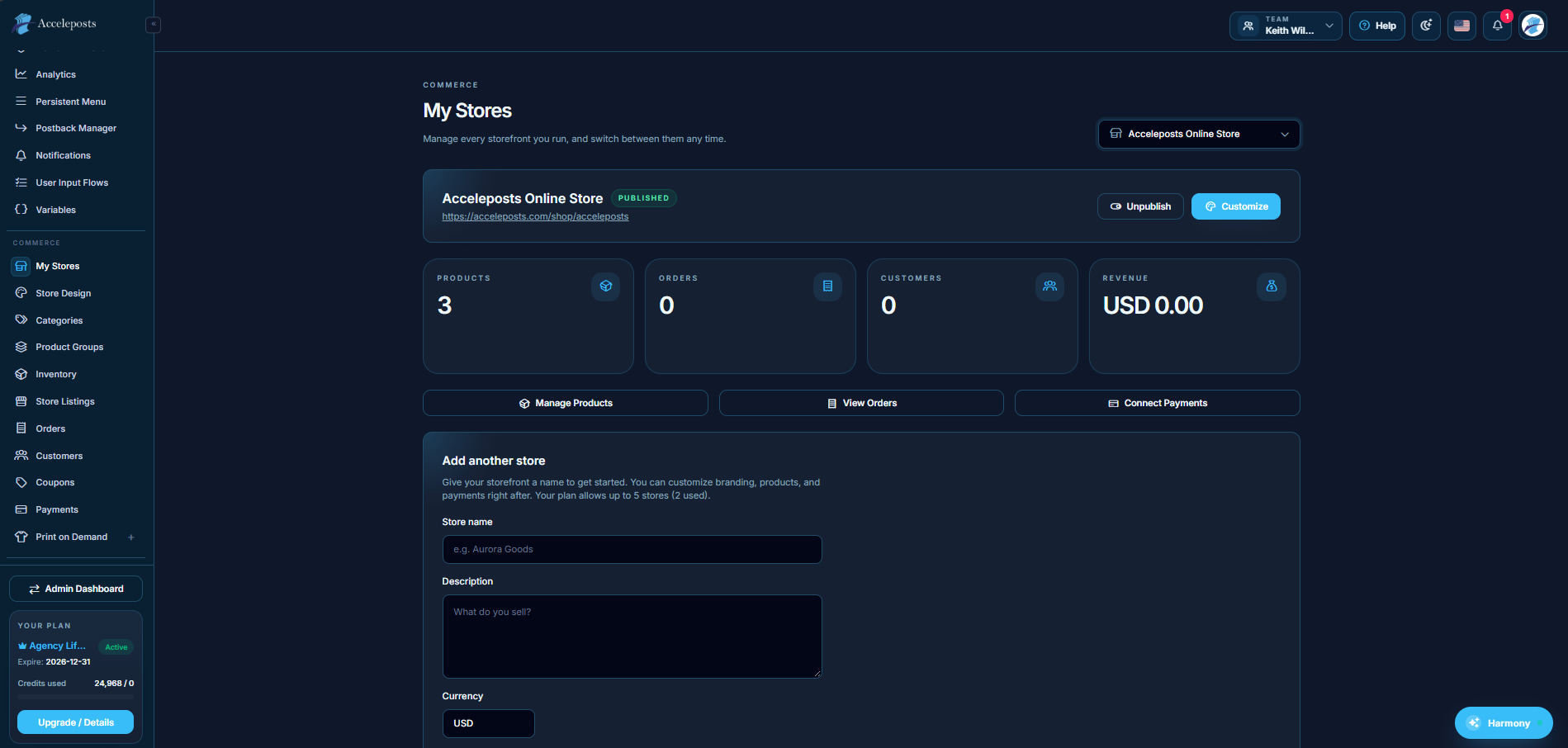
This is especially important for teams that already use Brand Voice inside Acceleposts. The same brand consistency that supports social content and campaigns should also carry into the e-commerce experience.
Building Inventory and Listings Controls
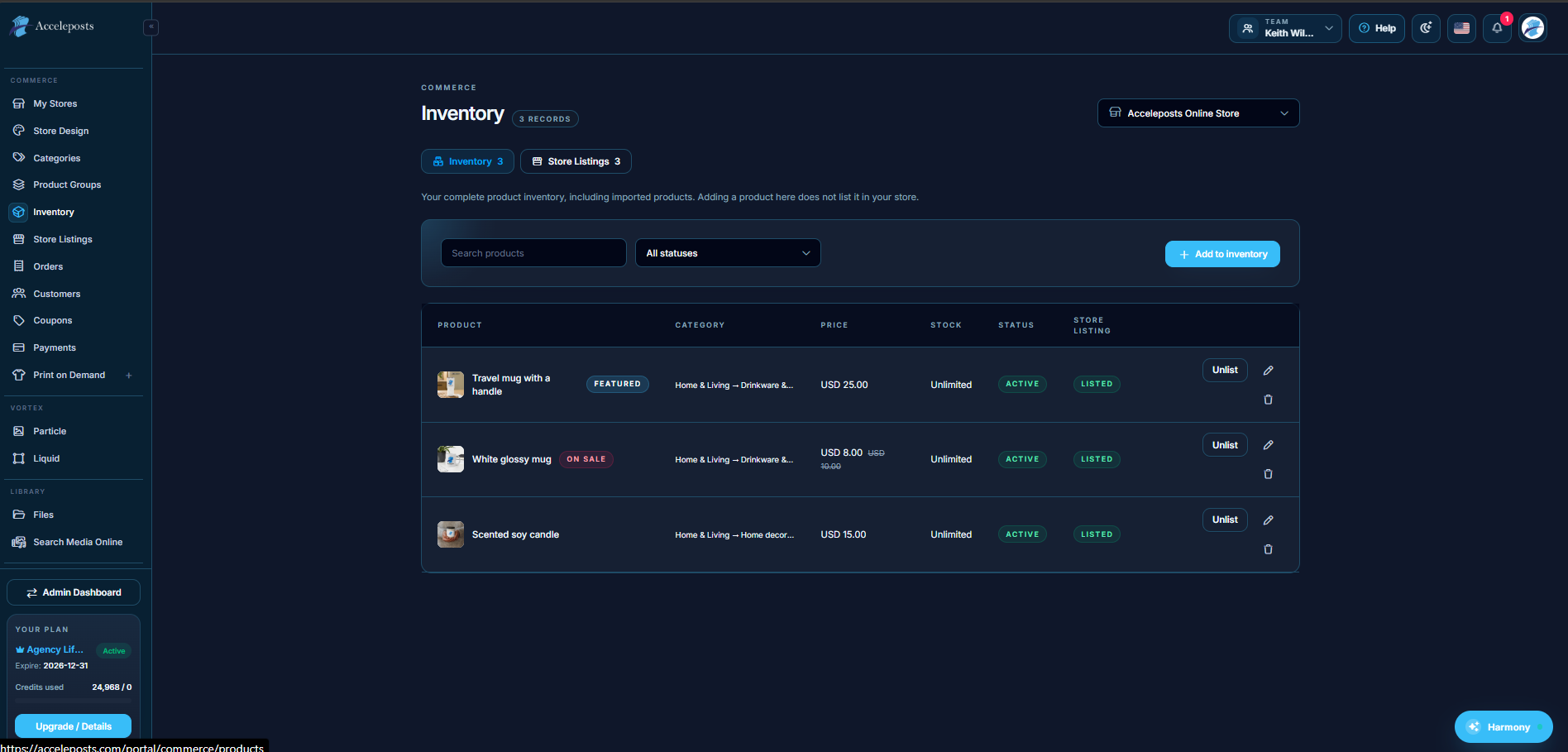
The inventory and listing tools were developed to separate product management from public storefront visibility. A product can exist in inventory, but store owners still need control over whether it is listed, active, edited, or hidden from the storefront.
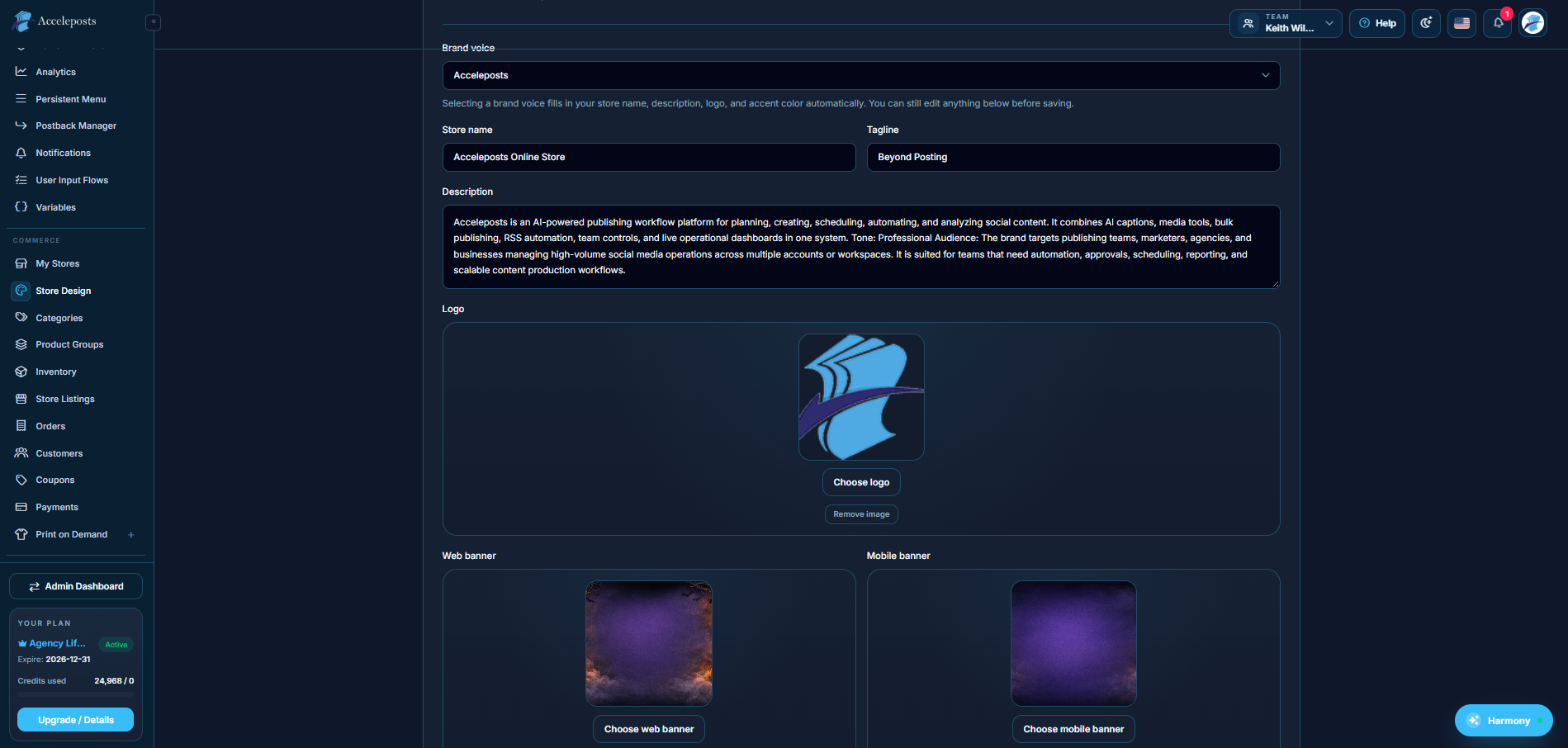
That distinction gives teams flexibility. They can prepare products before launch, keep seasonal items ready for the right campaign, and adjust public listings without losing the underlying product information.
Creating Product Groups and Promotions
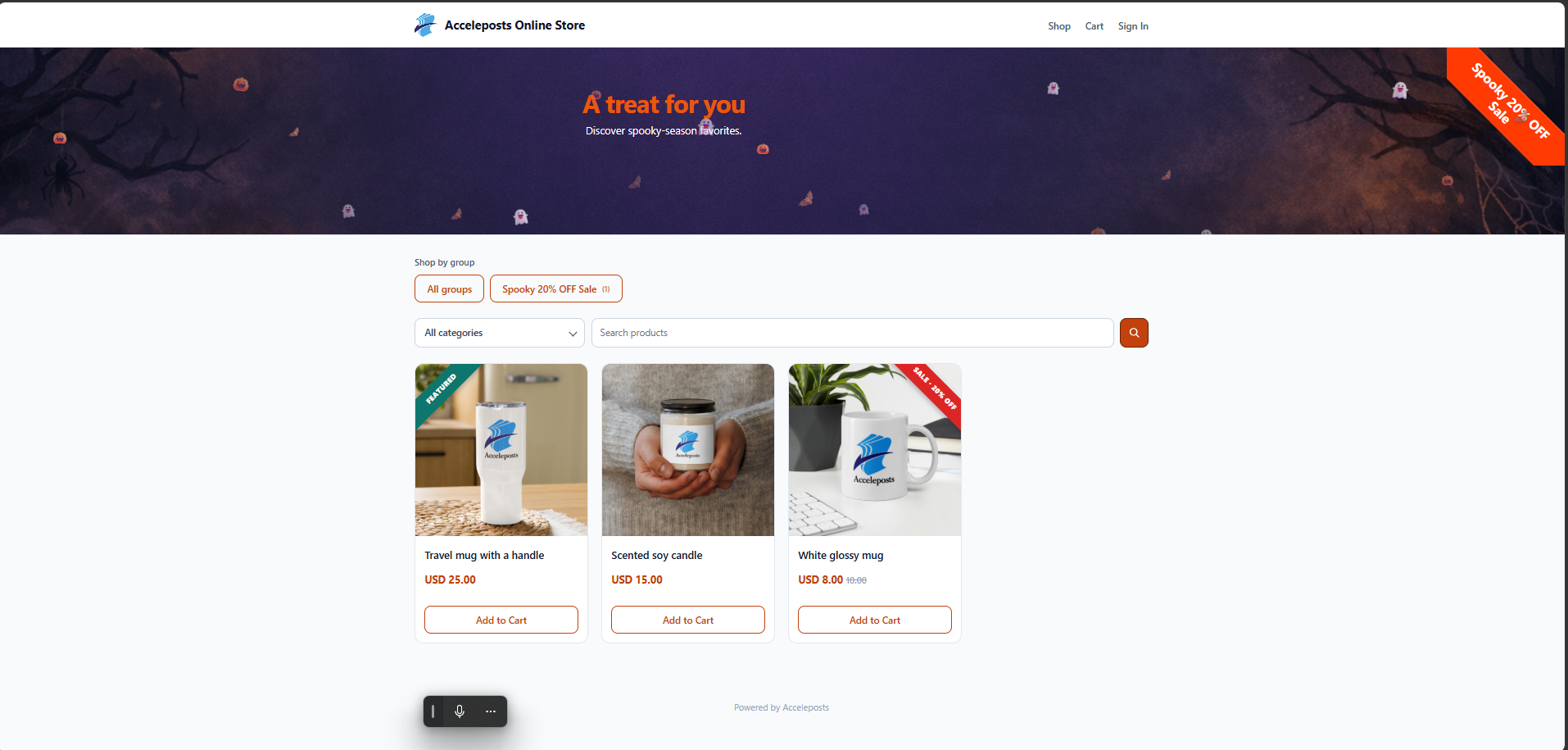
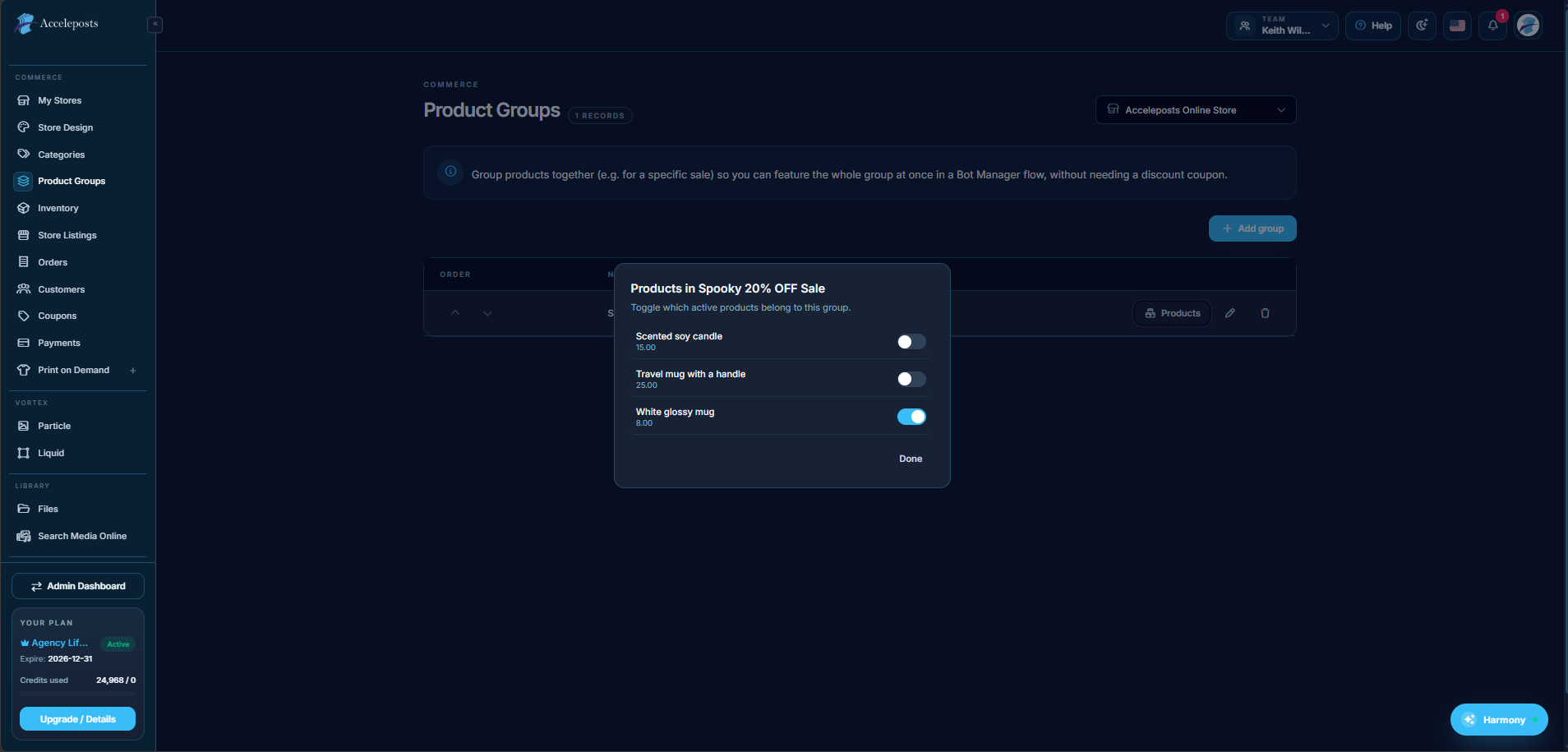
Product groups became an important part of the e-commerce development because promotions often need to happen across multiple products at once. Instead of managing every product separately, groups make it easier to organize items around themes, categories, campaigns, and sales.
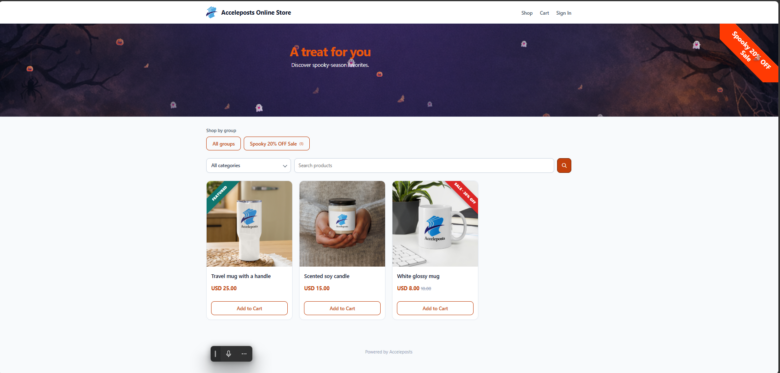
For example, a seasonal promotion can group selected products together and support a more focused campaign experience. This keeps commerce aligned with marketing moments instead of forcing teams to manage promotions manually in separate systems.
Supporting Product Import Workflows
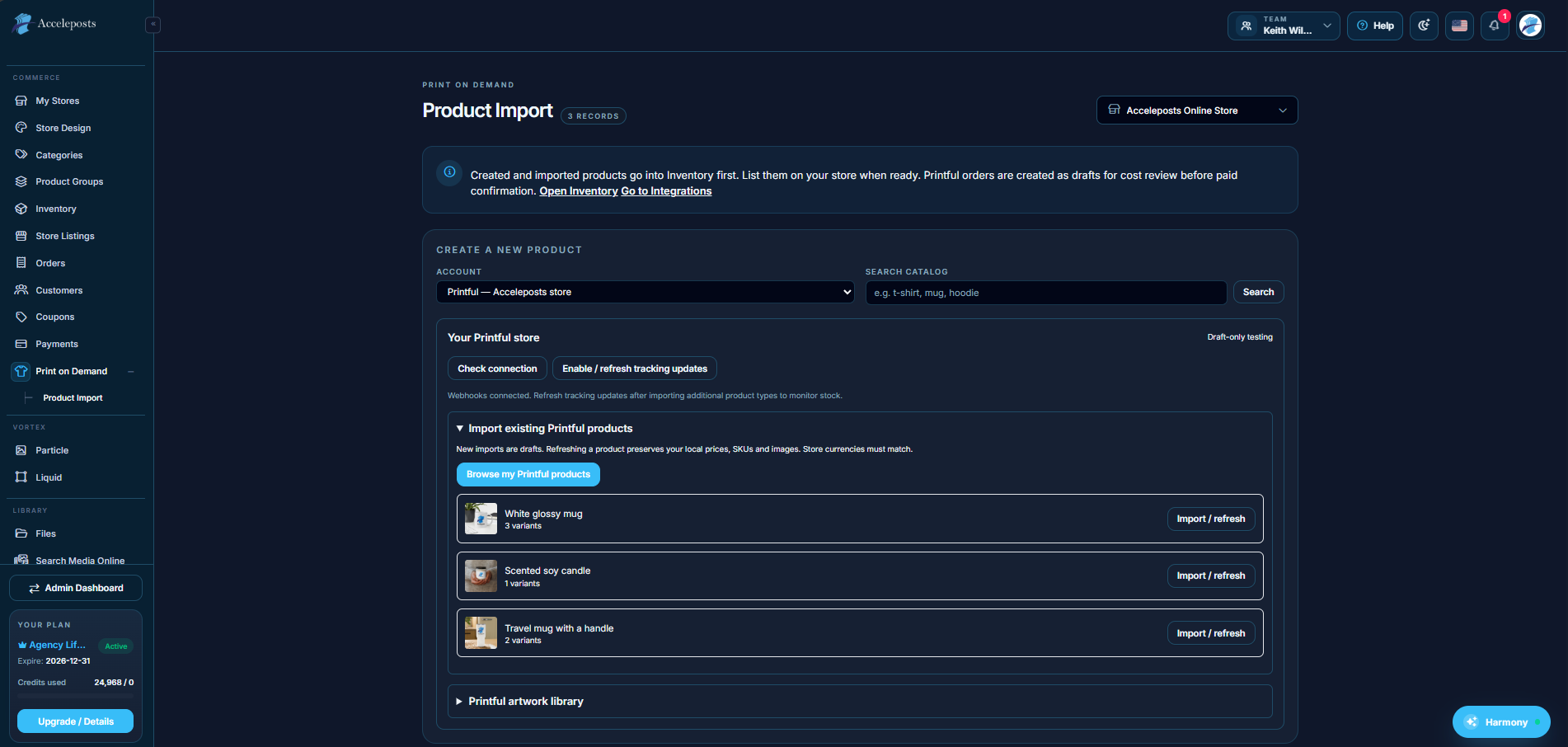
Another key part of the development journey was product import. For print-on-demand and external product workflows, store owners need a path to bring products into Acceleposts without rebuilding everything by hand.
The Print on Demand import experience was designed around that need. By supporting product discovery and import options, the store can grow from a few initial products into a larger catalog while keeping the management workflow centralized.
Connecting the Storefront to the Customer Journey
The public store experience brings the development work together. The storefront gives visitors a clean way to browse products, search categories, view promotional banners, and add items to their cart.
That customer-facing layer is where the admin tools become real. The inventory, listings, product groups, design settings, and import workflows all support a store that can be marketed through posts, campaigns, links, and automation.
Why This Matters
The larger vision is to make commerce part of the same operating system as content. Many creators, small businesses, and teams already manage posts, campaigns, media, analytics, and customer interactions. Adding e-commerce into that workflow reduces friction and helps turn marketing activity into measurable storefront activity.
For Acceleposts, the e-commerce store development is a step toward a more complete publishing and business workflow: one place to create content, promote products, manage offers, and understand performance.
What Comes Next
The current build lays the groundwork for deeper commerce workflows, stronger product promotion tools, and tighter connections between storefront activity and publishing campaigns. As development continues, the focus remains on making the experience practical, flexible, and aligned with how teams already work.
The e-commerce store is not just a feature. It is part of a broader effort to help businesses move from content creation to customer action with fewer disconnected tools in the middle.