Developing Acceleposts meant solving a practical problem: social publishing teams need one place to plan, create, schedule, automate, approve, and measure content across many accounts. The hardest parts were not just building AI tools or calendars, but making the whole workflow reliable when real teams, time zones, APIs, media files, permissions, and deadlines collide.
This is a look at the decisions, tradeoffs, and technical pressure points behind Acceleposts, written from the product side rather than as a glossy launch story.
Starting With the Real Workflow, Not the Feature List
The early shape of Acceleposts came from a simple observation. Most publishing teams don’t struggle because they lack ideas. They struggle because the work is scattered across documents, design folders, chat threads, approval tools, spreadsheets, and native social platforms.
That made the product goal clear. Acceleposts had to reduce the number of places a team checks before a post goes live. Planning, drafting, media handling, scheduling, automation, approvals, and reporting had to feel connected, not bolted together.
That sounds obvious until you start mapping the details. A marketing agency may manage dozens of brands. A publisher may push hundreds of posts a week. A business may have one person writing, another approving, and another watching performance. Each team expects a different default workflow.
The challenge was to give structure without forcing everyone into one rigid process.
Designing for High-Volume Publishing
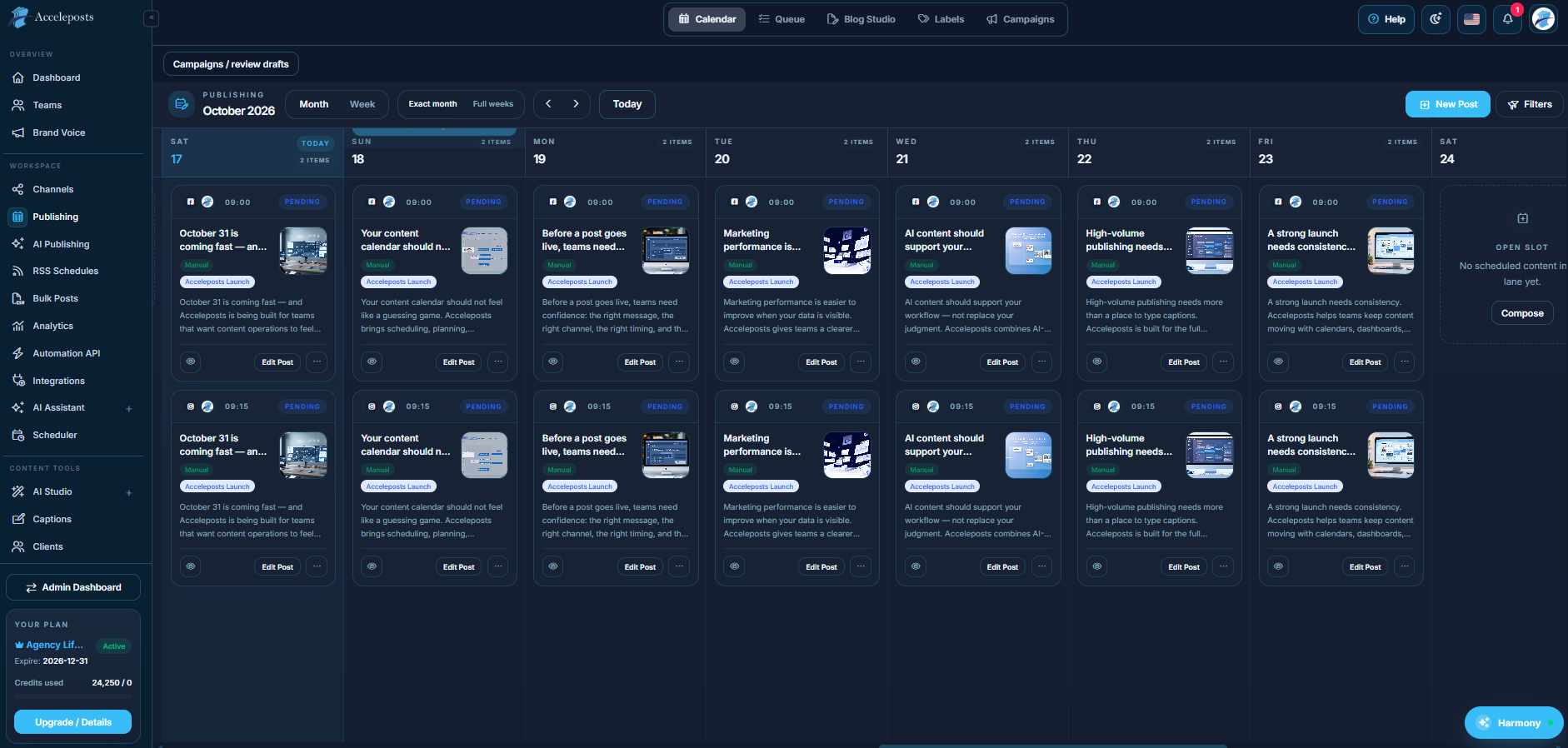
A small social calendar is easy to understand. A high-volume calendar is not. Once teams manage multiple workspaces, social accounts, campaigns, approval states, content categories, and scheduled queues, the interface can quickly become noisy.
We had to treat volume as a first-class design problem. That affected almost every screen. Bulk actions needed to be fast. Filters had to be useful without becoming a maze. Status labels had to be clear at a glance. The system needed to show what mattered now, without hiding the details a manager may need later.
One lesson stood out: speed is not only about server response time. It is also about how quickly a person can answer practical questions.
- Which posts are waiting for approval?
- Which accounts have nothing scheduled next week?
- Which campaigns are active?
- Which automations are posting from an RSS feed?
- Which posts failed, and why?
If the product cannot answer those questions quickly, the team goes back to spreadsheets.
The Scheduling Problem Is Deeper Than It Looks
Scheduling social content sounds straightforward until you account for time zones, daylight saving time, platform rules, queue logic, failed publish attempts, media processing delays, and users editing posts shortly before publication.
Acceleposts needed scheduling to feel simple on the surface while handling messy operational details underneath. A user should be able to pick a date, a time, and an account, then trust the system. Behind that action, the platform needs to normalize time, validate content, prepare media, watch platform limits, queue jobs, retry when appropriate, and report errors clearly.
The hardest part was not making a post publish once. The hard part was making publishing dependable across many accounts, every day, without asking users to babysit the system.
Handling Social Platform Differences
Every social network has its own rules. Character limits differ. Media requirements differ. Link handling differs. API behavior differs. Error messages can be vague. Rate limits can change how quickly work gets done.
That meant Acceleposts could not treat social platforms as identical destinations. A caption that works well on one platform may be too long for another. A video that uploads cleanly in one place may require different processing elsewhere. An API response may not explain the real cause of a failed post in plain language.
We had to build translation layers inside the product. The goal was to keep the user experience readable while respecting each platform’s constraints. When something fails, a user doesn’t want a cryptic technical code. They want to know what happened and what to fix.
Adding AI Without Letting It Take Over the Workflow
AI captioning is useful, but only when it fits the way teams actually work. A publishing team usually doesn’t want random creative output. They want useful drafts that match the brand, the channel, the campaign, and the post format.
So the challenge was not just generating text. It was making AI feel like a writing assistant inside a larger publishing process. Captions still need editing. Teams still need approval paths. Brand tone still matters. Context matters even more.
We focused on making AI support the workflow rather than distract from it. A good caption draft saves time. A generic caption creates more editing work. That distinction shaped how we approached prompt structure, rewrite options, post variations, and the surrounding user controls.
Media Tools Created Their Own Set of Problems
Social content is visual, which means media handling has to be dependable. Images and videos bring file size limits, aspect ratios, thumbnails, previews, compression, upload timing, and storage decisions into the product.
Media is also where small delays become frustrating. If a user uploads a batch of assets before scheduling a campaign, they expect the system to keep up. If a preview looks wrong, trust drops immediately.
We had to think carefully about how files are processed, how previews are generated, and how the product communicates progress. A polished media workflow is often invisible when it works. When it doesn’t, it becomes the only thing the user sees.
Bulk Publishing Had to Be Powerful Without Feeling Risky
Bulk publishing is one of the places where Acceleposts needed to serve serious operators. Agencies, publishers, and content teams often need to create or schedule many posts at once. Doing that manually wastes time.
At the same time, bulk actions carry risk. One wrong account selection or date range can create a lot of cleanup work. That pushed us to design bulk workflows with clear review steps, predictable outcomes, and visible safeguards.
The product had to answer basic questions before the user commits:
- How many posts will be created or changed?
- Which accounts are affected?
- What dates and times will be used?
- Are there validation errors?
- Can the user review before publishing or scheduling?
Power features need friction in the right places. Not enough friction causes mistakes. Too much friction defeats the purpose.
RSS Automation Needed Guardrails
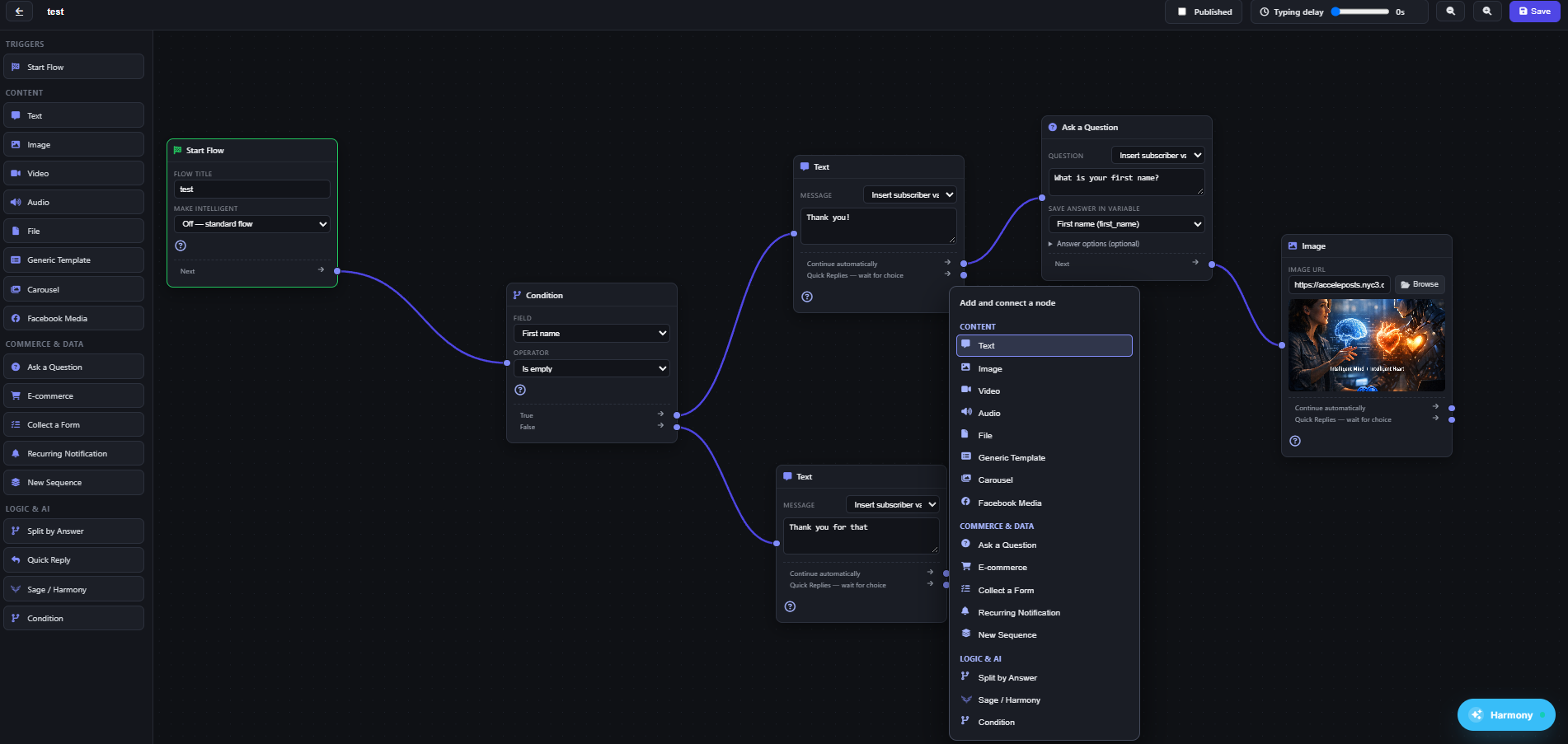
RSS automation can save a team hours, especially for publishers and businesses that share frequent site updates. But automation can also create problems if it posts too often, pulls the wrong content, repeats items, or publishes without enough review.
That made RSS automation a trust problem as much as a technical one. The system needed to detect new items, process content, prepare captions, schedule posts, avoid duplicates, and give teams control over how automatic the process should be.
Some teams want full automation. Others want drafts created for review. Both workflows are valid. Acceleposts had to support that range without making setup feel complicated.
Team Controls Are Product Infrastructure
Permissions are rarely the flashiest part of a product, but for publishing teams they are essential. A client should not see another client’s workspace. A writer may need draft access but not publishing rights. A manager may need approval control across several accounts.
This required careful thinking around workspaces, roles, invitations, ownership, account access, and auditability. The goal was to let teams move quickly without creating permission confusion.
Good team controls are quiet. People only notice them when they are missing or wrong. That is why we treated them as part of the product foundation, not as an admin feature to add later.
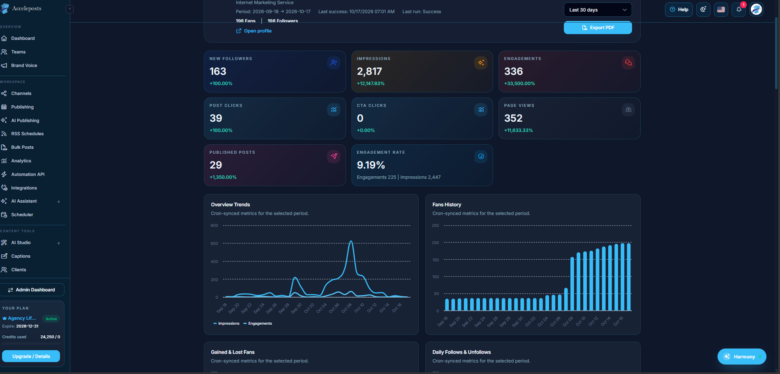
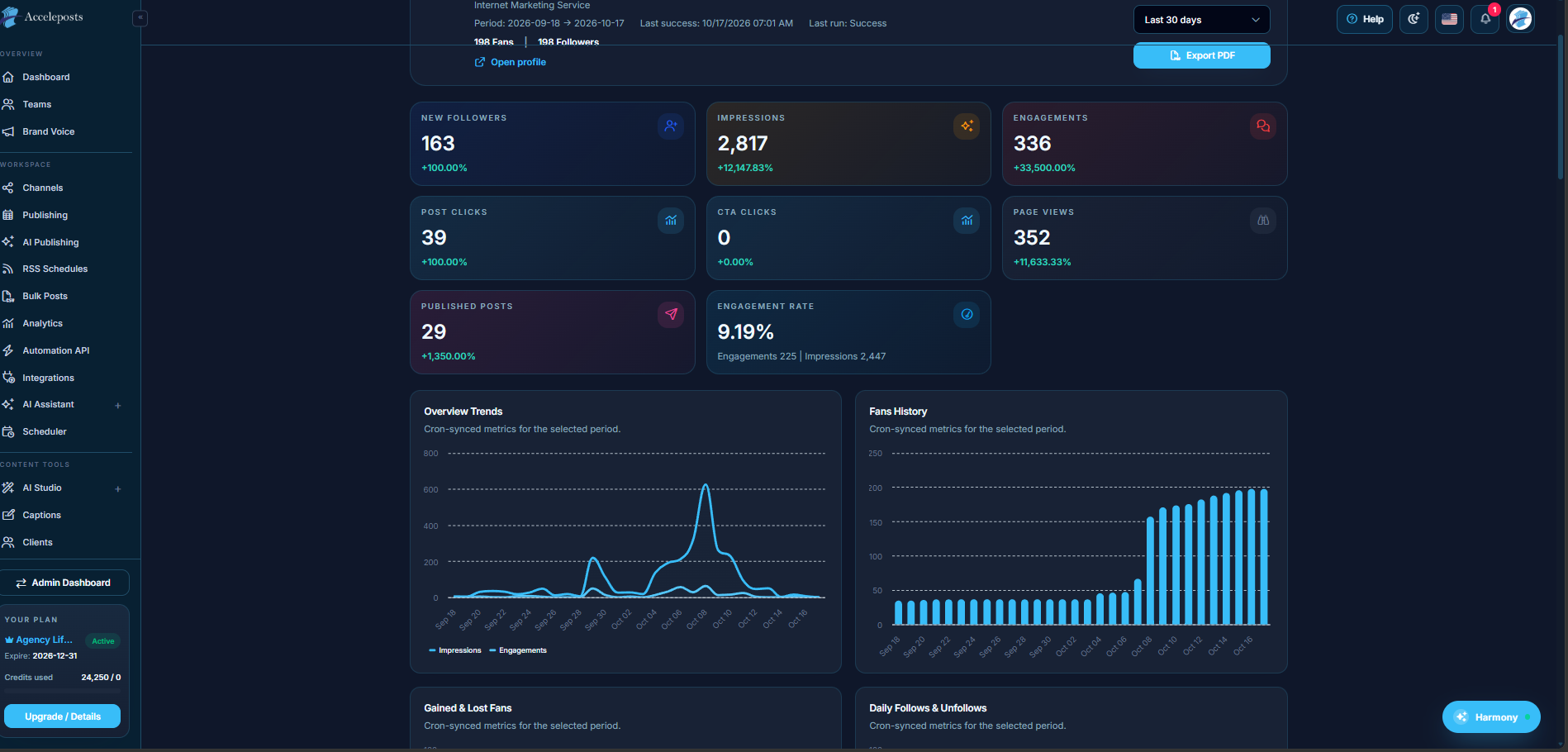
Dashboards Had to Show Operations, Not Vanity
A live dashboard should help a team make decisions. It should not be a wall of numbers that looks impressive but changes nothing.
For Acceleposts, dashboards needed to surface operational truth. What is scheduled? What failed? What is waiting? Which workspaces are active? Where are the bottlenecks? What content is performing well enough to repeat or repurpose?
Analytics matter, but they only help when they connect back to action. If a post performs well, the team may want to reuse the format. If a channel is underfilled, they may need to schedule more. If approvals are slow, managers need to see the backlog.
That shaped the reporting experience. We wanted dashboards that support daily publishing decisions, not just monthly reporting screenshots.
Reliability Became a Product Feature
Publishing tools live or die on trust. If a post is supposed to go out at 9:00 AM, the user should not have to wonder whether it will happen. Reliability is not just an engineering metric here. It is part of the product promise.
That pushed us to think about background jobs, retries, monitoring, status visibility, failure handling, and support diagnostics. A system that hides problems is worse than one that clearly reports them. Teams can adapt to an honest status. They cannot adapt to silence.
We learned to treat failure states as part of the normal product experience. Platforms reject posts. Tokens expire. Media files fail validation. Networks time out. The product has to respond in a way that helps users recover quickly.
The Biggest Lesson: Workflow Products Need Patience
Building Acceleposts has been less about chasing one flashy feature and more about connecting many practical pieces into one dependable system. The hard work is in the joins: where AI meets approvals, where scheduling meets platform APIs, where media meets automation, where analytics meets action.
That kind of product takes patience. Every feature affects another part of the workflow. Every shortcut shows up later as user confusion, support load, or operational risk.
The reward is a platform that helps teams publish with less chaos. Not because the work disappears, but because the process becomes easier to see, manage, and improve.
Where Acceleposts Goes From Here
Acceleposts will keep moving toward one clear aim: helping teams run social publishing like an organized operation instead of a pile of disconnected tasks. That means better planning tools, smarter automation, clearer reporting, stronger collaboration, and practical AI that saves time without flattening a brand’s voice.
The challenges won’t go away. Social platforms will keep changing. Team workflows will keep shifting. Content volume will keep rising. That is exactly why the product exists.
The work is to keep making complex publishing operations feel manageable, without pretending they are simple.